
Poor IT support rarely announces itself loudly. It accumulates quietly: a helpdesk ticket that takes two days to close, a security patch that never arrives, a cloud migration that keeps getting deprioritised. For London SMEs competing in demanding markets, these are not minor inconveniences. IT support problems in London cost businesses measurably in lost productivity, staff frustration, and missed revenue. Research consistently shows that IT downtime costs UK SMEs an average of £3,000 to £5,000 per hour once all contributing losses are counted. If any of the ten warning signs below feel familiar, the arrangement your business depends on may be working against it.
Table of Contents
- Quick Takeaways
- Sign 1: Response Times Are Consistently Slow
- Sign 2: Support Is Purely Reactive
- Sign 3: The Same Problems Keep Returning
- Sign 4: No Transparent Reporting or SLA Data
- Sign 5: Security Is an Afterthought
- Sign 6: No Technology Strategy or Roadmap
- Sign 7: Cloud Management Is Incomplete
- Sign 8: Invoices Are Unpredictable or Unexplained
- Sign 9: Staff Have Stopped Logging Tickets
- Sign 10: IT Is Treated as a Cost, Not an Asset
- Reactive vs Proactive vs Strategic IT Support Compared
- How to Change Your IT Provider Without Disruption
- Frequently Asked Questions
- References
Quick Takeaways
| Key Insight | Explanation |
|---|---|
| Slow response is a systemic problem, not an isolated one | If your provider repeatedly misses SLA response windows, the root cause is capacity or prioritisation, not a bad day. It will not self-correct without escalation. |
| Reactive support is measurably more expensive than proactive management | Break-fix cycles allow minor faults to become major outages. Proactive monitoring catches failures before they affect operations. |
| Absent reporting is a deliberate choice | Modern IT management tools generate performance data automatically. If your provider cannot produce ticket or uptime reports, they are concealing poor performance. |
| Security gaps compound over time | Unpatched systems, unreviewed access rights, and absent multi-factor authentication create expanding risk. A provider that does not raise these proactively is not managing your security. |
| No technology roadmap means no competitive advantage | IT support should inform business decisions around growth, cloud adoption, and compliance. A provider that only fixes tickets is delivering a fraction of the value available. |
| Staff silence is a warning sign | When employees stop reporting faults, they have given up on the system. Shadow IT and workarounds follow, creating hidden risk. |
| Switching providers is manageable with the right process | A structured handover, covering documentation, credentials, and continuity planning, eliminates most transition risk. The cost of switching is almost always lower than the cost of staying. |
Sign 1: Response Times Are Consistently Slow
Every business has a threshold below which IT response times become operationally harmful. When a staff member cannot access a client file, process a payment, or join a video call, the business is losing money in real time. A provider that consistently takes hours to acknowledge critical issues, or days to close routine tickets, is not delivering managed support. It is delivering reactive assistance on its own schedule.
The first question to ask is whether a documented service level agreement exists and whether your provider is meeting it. If the SLA is vague, for example “we will get to it as soon as possible,” that is not a commitment. A credible managed IT services provider in London will define response and resolution targets by ticket severity, report against those targets monthly, and have a clear escalation path when they are missed.
Pro tip: Request a three-month summary of average response and resolution times from your current provider. If they cannot produce this within 48 hours, or cannot produce it at all, that is itself a significant indicator of how the service is being managed.


Sign 2: Support Is Purely Reactive
A provider that only contacts you when something has already failed is not managing your IT. It is responding to your calls. The distinction matters because reactive support allows small, detectable problems to become serious incidents. A server running low on disk space, a certificate approaching its expiry date, a backup job that has been silently failing: all of these are visible to any competent monitoring system well before they cause disruption.
Managed IT support should include scheduled monitoring, regular system health checks, patch management, and planned maintenance windows. It should also surface risks proactively, such as unsupported software, expiring licences, or a firewall approaching capacity. If your current provider never contacts you unless there is already a problem, the service being delivered is break-fix, regardless of what the contract says.
An IT provider that only closes tickets can appear responsive while delivering very little long-term value. The measure of a managed service is not how quickly faults are fixed, but how many faults are prevented.
Sign 3: The Same Problems Keep Returning
Recurring faults are one of the clearest signs that a provider is treating symptoms rather than causes. If the same printer drops off the network every fortnight, the same user loses access to their email account every month, or the same Wi-Fi dead spot persists despite repeated complaints, the underlying problem has not been investigated.
A root cause analysis should accompany any fault that recurs more than once. That may involve replacing ageing hardware, correcting a network configuration, reviewing access permissions, or changing a process that generates avoidable errors. A provider that closes the same ticket repeatedly without investigating the pattern is consuming your time and tolerance without improving your environment.
In practice, London SMEs with distributed teams across multiple office floors or hybrid working arrangements are particularly exposed to this. Network issues, VPN instability, and cloud access failures tend to reappear until the underlying infrastructure is properly documented and managed.
Sign 4: No Transparent Reporting or SLA Data
If you ask your current provider for a report on ticket volumes, response times, system uptime, or security status and they either cannot produce one or take weeks to compile it, that is not a technical limitation. Modern remote monitoring and management platforms generate this data automatically. The absence of reporting almost always reflects a provider that does not want its performance examined.
Transparent reporting is one of the distinguishing features of a well-managed IT service. Monthly performance summaries should show ticket volumes by category, average response and resolution times by severity, uptime percentage, and any open risks or planned actions. This data allows a business to hold its provider accountable and to make informed decisions about infrastructure investment.
A provider that resists transparency is also a provider that is difficult to leave. Access to documentation, system credentials, and configuration records should be guaranteed in any managed IT contract. If those records are held exclusively by your provider and they are uncooperative about sharing them, your business is in a dependency that carries significant operational risk.
Sign 5: Security Is an Afterthought
IT security is not a separate product to be added on request. It is a foundational component of any managed IT service. A provider that does not raise security matters proactively, that has not discussed multi-factor authentication, endpoint protection, or patch schedules with you in the last quarter, is leaving your business exposed.
The practical risks are significant. Unpatched systems create vulnerabilities that are actively exploited. Accounts without multi-factor authentication are a primary entry point for credential-based attacks. Backups that are never tested may not restore successfully when needed. Each of these is detectable and correctable by a competent provider before an incident occurs.
For London businesses handling personal data, financial records, or client information, there is also a compliance dimension. Providers operating without reference to frameworks such as Cyber Essentials or relevant data protection obligations are not delivering the standard of care that the risk environment requires. If your provider has never discussed your compliance posture, that conversation is overdue.
Pro tip: Ask your current provider when they last reviewed your Microsoft 365 or cloud environment for inactive accounts, over-privileged access, or MFA gaps. If they cannot answer precisely, schedule a security review with a provider who can.
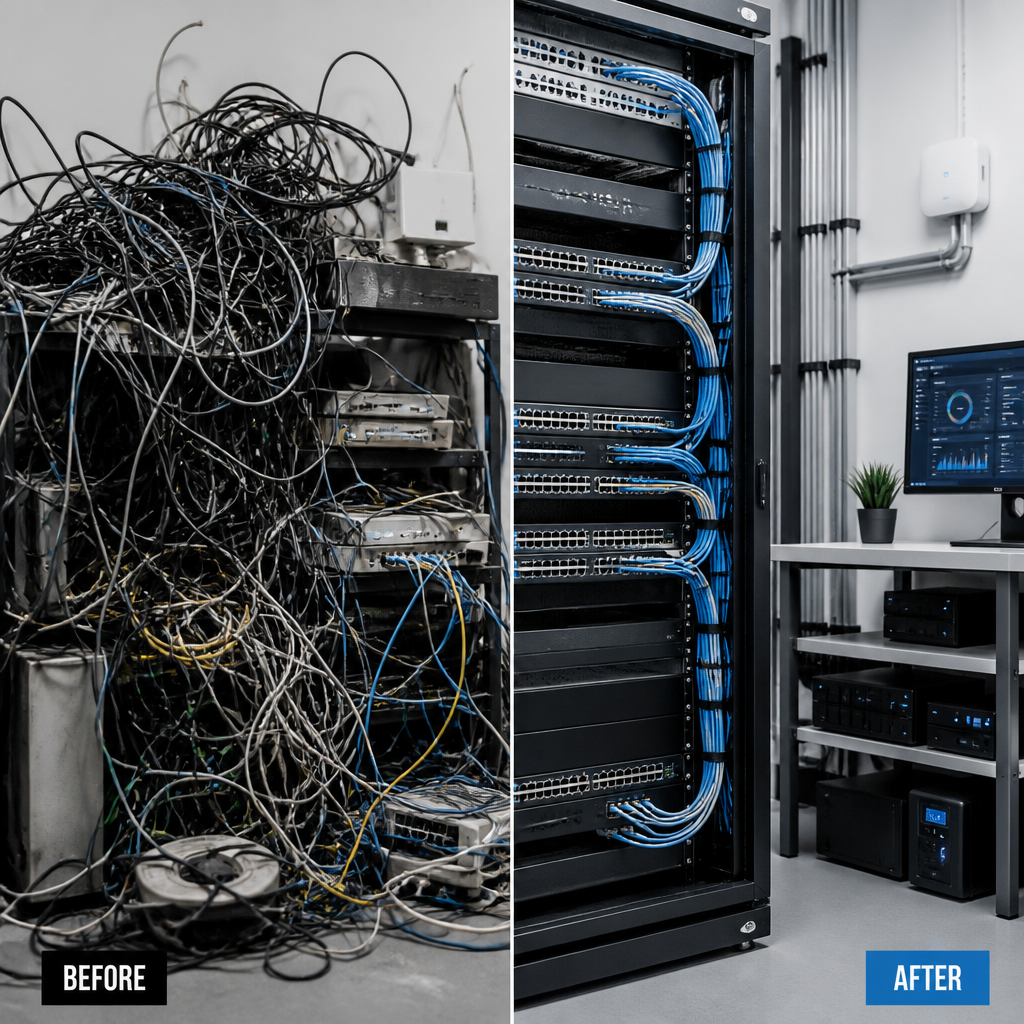
Sign 6: No Technology Strategy or Roadmap
A managed IT provider should be a strategic partner, not a break-fix helpdesk. If your provider has never discussed where your technology needs to be in twelve or twenty-four months, never connected IT decisions to your business objectives, and never raised the question of whether your current stack still serves your growth plans, the relationship is operating well below its potential.
Technology planning should be a scheduled, structured activity. Quarterly or biannual technology reviews allow a business to assess what is working, identify what needs replacing, and plan capital expenditure without emergency procurement. A provider that never initiates these conversations is leaving business-critical decisions to chance, or to whatever breaks first.
For growing London SMEs, this gap becomes particularly costly during periods of change. An office move, a headcount increase, a new product launch, or a shift to hybrid working all carry IT implications. A provider that reacts to these events rather than preparing for them will consistently underdeliver.
Sign 7: Cloud Management Is Incomplete
The majority of London SMEs now rely on cloud platforms for core business functions: email and collaboration through Microsoft 365, file storage through SharePoint or OneDrive, business applications through Azure or AWS, and video communications through Teams. If your IT provider is maintaining on-premise infrastructure competently but has limited visibility or expertise across your cloud environment, a significant and growing portion of your operations is unmanaged.
Cloud management includes licence optimisation, security configuration, conditional access policy management, backup and retention configuration, and performance monitoring. It also includes ensuring that your cloud spend is proportionate to your usage, which many providers overlook.
Providers who were primarily on-premise specialists five or more years ago may not have kept pace with the shift to cloud-first environments. The technical disciplines required to manage Azure Active Directory, configure Defender for Business, or architect an AWS environment correctly are distinct from traditional server and network support. Before renewing a contract, it is worth establishing precisely which cloud platforms your provider has certified expertise in and how many engineers on the team hold current vendor certifications.
Sign 8: Invoices Are Unpredictable or Unexplained
Variable or opaque billing is a sign of poor contract design and, in some cases, poor intent. If your monthly invoices vary significantly without explanation, if ad hoc charges appear for work you believed was included, or if you regularly dispute line items without satisfactory resolution, the commercial relationship is not functioning as it should.
A well-structured managed IT contract will define exactly what is included in the monthly fee, what triggers an additional charge, and what the process is for approving out-of-scope work before it is undertaken. Predictable pricing is not just commercially convenient. It is a prerequisite for accurate IT budgeting, which in turn enables better financial planning across the business.
The absence of transparent pricing structures is also a signal about how the relationship is managed more broadly. Providers who are unclear about what they charge tend to be unclear about what they deliver.
Sign 9: Staff Have Stopped Logging Tickets
When employees encounter a technical problem and choose to work around it rather than report it, the helpdesk has effectively failed. Staff who have experienced slow responses, unhelpful engineers, or repeat problems that never get resolved will stop engaging with the system. They will use personal devices, find informal workarounds, or simply tolerate reduced productivity.
This quiet disengagement is dangerous for several reasons. Unresolved technical issues accumulate without appearing in any management report. Shadow IT, where staff use unapproved tools or personal accounts for work, creates data security and compliance risks that are invisible to the IT team. And the morale cost of working in a poorly supported environment is real, even if it does not appear on a balance sheet.
A useful diagnostic is to ask a cross-section of staff directly whether they report IT problems or work around them, and why. The answers will often reveal a pattern of poor service that does not appear in the provider’s own ticket data.
Sign 10: IT Is Treated as a Cost, Not an Asset
The most telling sign of a provider that is holding your business back is one that has never attempted to connect IT to business outcomes. If conversations with your provider focus exclusively on keeping systems running and closing tickets, and never on how technology can accelerate growth, improve customer experience, or reduce operational cost, the relationship is transactional in a way that limits its value considerably.
Effective managed IT support transforms the IT function from a reactive cost centre into a business enabler. That means understanding your business model, your growth plans, and your risk tolerance well enough to recommend technology investments that pay for themselves. It means acting as a senior technical advisor, not just a remote helpdesk. For London SMEs without an in-house IT director, a managed IT provider should effectively fill that strategic gap.
If your provider has never made a recommendation that saved your business money, improved a process, or reduced a risk you had not already identified yourself, it is reasonable to ask what value the relationship is actually delivering beyond basic fault resolution.
Reactive vs Proactive vs Strategic IT Support Compared
Understanding the difference between service models helps clarify what your business is currently receiving and what it should expect from a managed IT partner.
| Dimension | Reactive (Break-Fix) | Proactive Managed Support | Strategic Managed IT Partnership |
|---|---|---|---|
| Engagement model | Provider contacts you only when a fault is reported | Provider monitors systems and flags issues before they escalate | Provider attends scheduled reviews and connects IT to business planning |
| Security posture | Antivirus installed; no proactive patch or access review | Regular patching, backup testing, and MFA enforcement | Compliance alignment, threat intelligence, and periodic security reviews |
| Reporting | No regular reporting; data available only on request | Monthly performance reports against defined SLAs | Quarterly technology reviews with business-aligned recommendations |
| Cloud management | Minimal; primarily on-premise focus | Licence management and platform monitoring included | Full Microsoft 365, Azure, AWS, or GCP administration and optimisation |
| Billing model | Per-incident or per-hour charges; unpredictable costs | Fixed monthly fee with defined inclusions | Transparent all-inclusive pricing with no hidden project surcharges |
| Strategic value | None; technology and business strategy are disconnected | Low; operational improvements suggested occasionally | High; provider acts as a virtual IT director with measurable business impact |
How to Change Your IT Provider Without Disruption
Many London SMEs delay making a change because the transition feels operationally risky. In practice, a structured handover process eliminates most of that risk. The cost of continuing with an underperforming provider, measured in downtime, security exposure, and lost productivity, consistently outweighs the effort involved in switching.
Step 1: Document What You Have
Before approaching a new provider, compile a baseline inventory of your current environment. This includes all hardware assets, software licences, cloud accounts, network configurations, and any outstanding support issues. If your current provider holds this documentation and is reluctant to share it, that reluctance is itself a reason to accelerate the transition.
Step 2: Define What You Need
A clear statement of requirements allows any prospective managed IT services provider in London to give you an accurate and comparable proposal. Include your headcount, office locations, cloud platforms in use, any specific compliance requirements, and your expectations around response times and reporting. Providers who cannot give precise answers to these parameters during evaluation are unlikely to meet them in operation.
Step 3: Plan the Handover
A competent incoming provider will manage the transition process, including obtaining access credentials, reviewing existing configurations, and establishing monitoring before the old contract expires. Ensure that the transition plan covers continuity for critical systems, and that there is no gap in cover during the changeover period. iTO.London’s managed IT services include a structured onboarding process designed to eliminate transition risk for London SMEs moving from any prior arrangement.
Step 4: Establish Governance from Day One
Agree on reporting cadence, escalation contacts, SLA thresholds, and review meeting schedules at the start of the new relationship. A provider that accepts governance from the outset is far more likely to maintain accountability over time. Those who resist formal performance measurement are likely to deliver the same experience as the provider you are leaving.
For businesses that have been managing IT reactively for some time, the first few weeks with a proactive provider will typically surface a backlog of unaddressed issues. This is expected and should be treated as evidence of improvement, not as a sign that the new arrangement is problematic. Visit iTO.London to understand how a virtual IT department model can operate as a genuine extension of your business rather than an external vendor relationship.
Frequently Asked Questions
What are the most common IT support problems for London SMEs?
The most common IT support problems reported by London SMEs include slow or unacknowledged helpdesk responses, recurring technical faults that are never permanently resolved, insufficient cloud management, weak security configurations, and a complete absence of strategic technology planning. These problems tend to compound: a provider that is reactive about faults is typically also reactive about security, which means risks accumulate silently until they become incidents.
How do I know if it is time to change my IT provider?
The clearest indicators are persistent SLA breaches, recurring faults without root cause resolution, an inability to produce performance reports, and the absence of any proactive communication from your provider. If staff have stopped using the helpdesk because previous requests went unresolved, or if your provider has never made a technology recommendation unprompted, the relationship is underperforming relative to what a managed IT service should deliver.
How long does switching to a new managed IT provider take?
A well-managed transition typically takes between two and four weeks from contract signing to full operational handover, depending on the complexity of the environment. The critical dependencies are access to documentation held by the outgoing provider and the incoming provider’s onboarding process. Businesses with well-documented environments and a cooperative outgoing provider can complete a transition in under two weeks. The transition itself carries minimal risk when managed by an experienced provider with a structured onboarding methodology.
What should a managed IT services contract in London include?
A well-structured contract should define response and resolution SLAs by ticket severity, the scope of included services (helpdesk, monitoring, patching, cloud management, security), reporting cadence, escalation procedures, and pricing with clear definitions of what triggers additional charges. It should also specify data ownership and documentation rights to ensure that all system credentials and configuration records remain accessible to the client throughout the contract term and at exit.
What is the difference between managed IT services and traditional IT support?
Traditional IT support, often called break-fix, operates reactively: the provider responds when something fails and charges for the time spent. Managed IT services operate on a proactive, fixed-fee model where the provider monitors your environment continuously, performs scheduled maintenance, manages security, and plans for future technology needs. The commercial and operational difference is significant: managed services reduce downtime, create predictable costs, and extend the technology function beyond fault resolution into genuine business enablement.
Can a small London business afford managed IT services?
Managed IT services are structured specifically to make senior-level technical support economically accessible to businesses that cannot justify a full in-house IT team. For most London SMEs with between five and one hundred staff, the cost of a managed service is lower than the combined cost of reactive support, downtime, and the management time consumed by IT problems. Transparent, per-seat pricing models make the investment straightforward to forecast and evaluate against measurable business outcomes.
What questions should I ask a prospective IT support provider in London?
Ask for their defined SLA response times by ticket severity, how they report against those SLAs, what proactive monitoring they include as standard, which cloud platforms they have certified expertise in, how they manage the onboarding process for new clients, and what their process is for escalating unresolved issues. A provider that answers these questions precisely and in writing during the sales process is demonstrating the same operational discipline they will apply once the contract is in place.
If your current IT arrangement reflects any of the signs described in this article, we would welcome your observations, including what warning signs your own business has encountered and what prompted you to investigate alternatives.
References
- Research and analysis on the true cost of IT downtime for UK SMEs, including hourly loss estimates
- Practical warning signs that indicate it is time to switch your IT support provider
- Ten warning signs that your current IT support arrangement is no longer serving your business
- Detailed breakdown of the top signs that IT support is failing a business, with guidance on remediation
- Indicators that your IT provider is underdelivering and practical steps to address the situation