

Poor wireless connectivity is one of the most common and most preventable causes of lost productivity in London offices. Whether a company is relocating, expanding, or simply outgrowing an ageing network, business WiFi installation is rarely a straight swap of hardware. It requires structured planning, a proper site survey, correct hardware selection, and an ongoing management strategy. This guide sets out what London SMEs need to know before, during, and after installation, and explains how a managed approach removes the burden of day-to-day network operations from internal teams.
Table of Contents
- Quick Takeaways
- Why Consumer WiFi Fails in Office Environments
- The Site Survey: The Essential First Step
- Hardware Selection and WiFi Standards
- Network Segmentation and Security
- Comparing Deployment Approaches
- Managed WiFi Services: What They Cover
- What London Offices Must Plan For
- Frequently Asked Questions
- References
Quick Takeaways
| Key Insight | Explanation |
|---|---|
| A site survey is non-negotiable | Wall construction, interference sources, and device density all affect access point placement. Skipping this step leads to dead zones and costly remediation work. |
| Consumer hardware is unsuitable for offices | ISP-provided routers are designed for domestic use. They cannot support 20 or more simultaneous devices with business-grade reliability or security controls. |
| WiFi 6 is now the baseline standard | WiFi 6 (802.11ax) handles high device density more efficiently than older standards and supports WPA3 encryption, which aligns with current UK security guidance. |
| Network segmentation reduces risk | Separating staff, guest, and IoT traffic into distinct VLANs limits the damage any breach can cause and is expected under frameworks such as Cyber Essentials. |
| PoE switching simplifies installation | Power over Ethernet allows access points to be mounted wherever signal quality is best, without requiring a mains socket at each location. |
| Managed WiFi shifts maintenance responsibility | A managed service includes firmware updates, performance monitoring, and fault response, removing the need for in-house network expertise. |
| Roaming configuration matters in multi-floor offices | Without proper roaming optimisation, devices cling to a distant access point rather than handing off to the nearest one, degrading call and video quality. |
Why Consumer WiFi Fails in Office Environments
The fundamental difference between a home router and enterprise access point is not speed on paper – it is how each device handles concurrent connections and traffic management. Consumer routers begin to degrade noticeably once 15 to 20 devices are connected. Most London offices exceed that figure within a single meeting room during a video call.
Business-grade access points use technologies such as MU-MIMO (multi-user, multiple input, multiple output) and BSS Colouring, which allow dozens of devices to communicate simultaneously without stepping on each other’s transmissions. Consumer hardware lacks these capabilities, producing the familiar symptoms: calls dropping, file transfers stalling, and web applications timing out at precisely the moments they are needed most.
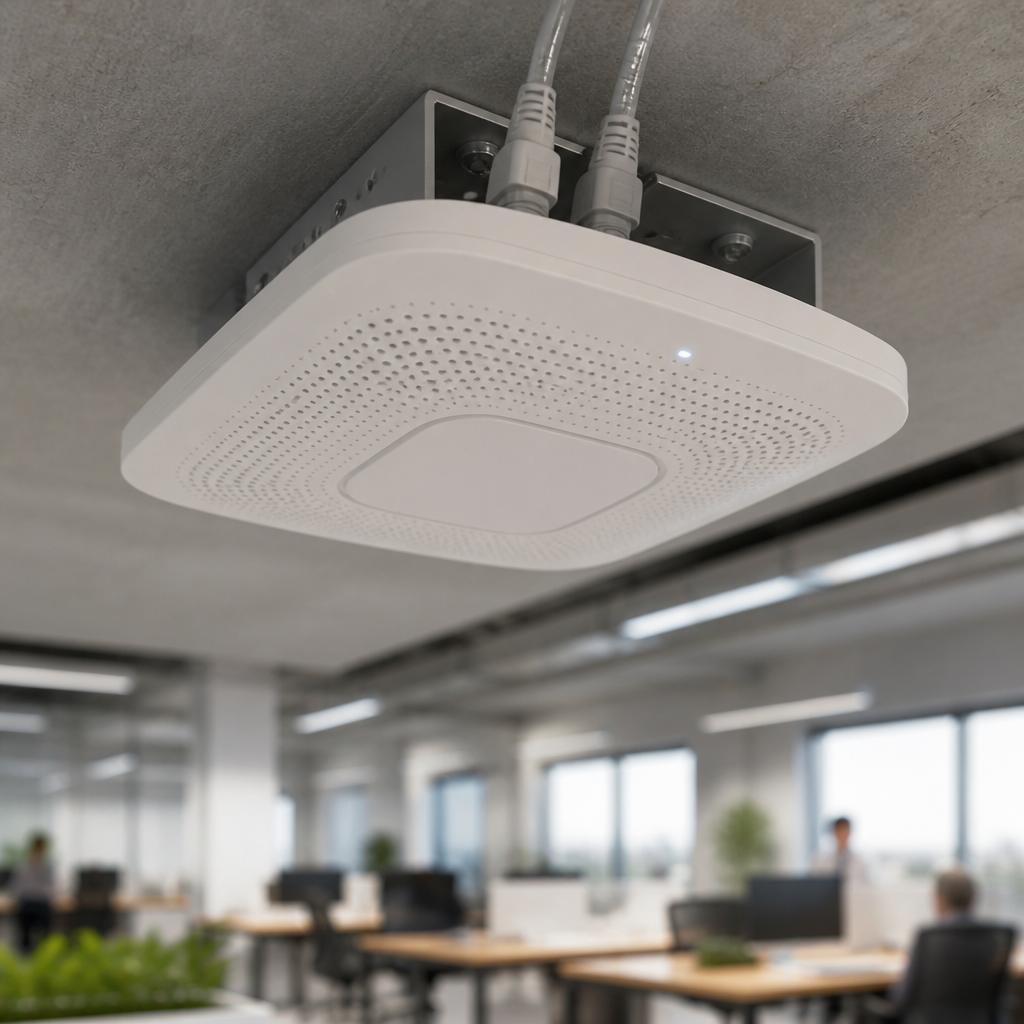
The cabling infrastructure matters equally. A business WiFi deployment runs each access point on a dedicated Ethernet cable back to a managed switch. This provides consistent throughput and allows each access point to be powered and monitored centrally. Relying on wireless extenders or mesh systems designed for home use introduces additional latency at each hop and removes the ability to monitor individual access points with any precision.

The Site Survey: The Essential First Step
A professional site survey is the document that underpins every subsequent decision in a business WiFi installation. It identifies wall construction materials, existing cable routes, sources of radio frequency interference, the likely distribution of users across the space, and where wireless coverage will be most critical.
What a Competent Survey Examines
In London offices, older buildings with thick masonry walls, reinforced concrete, and metal-framed glazing present more complex RF propagation challenges than modern open-plan spaces. A survey conducted in a period conversion in Clerkenwell or a Victorian warehouse in Shoreditch will produce very different access point placement recommendations compared with a modern office block in Canary Wharf.
The survey output should specify the number of access points required, their mounting positions, cable routes, the switch configuration, and the channel plan to minimise co-channel interference. As a general planning figure, a single commercial access point covers roughly 140 to 185 square metres of open-plan space. Cellular offices, server rooms, and high-density meeting rooms each require separate consideration.
Active vs Passive Surveys
A passive survey maps the existing RF environment using specialist tools before any hardware is deployed. An active survey validates coverage after installation and confirms that the deployed network meets the original specification. Both stages are worth commissioning for any office above 500 square metres or with complex layouts. For smaller, single-floor offices, a well-documented passive survey is the minimum requirement.
Pro tip: Request a copy of the heat-map output from the site survey. It documents the intended coverage model and becomes a useful baseline if you need to diagnose performance issues six months after deployment.
Hardware Selection and WiFi Standards
The current generation standard for business WiFi installation is WiFi 6 (802.11ax). It delivers improved performance in dense environments, supports WPA3 encryption, and is backward compatible with older client devices. For offices deploying or planning to deploy a substantial number of IoT devices alongside standard computing equipment, WiFi 6 or its successor WiFi 6E, which extends into the 6 GHz band, is the appropriate choice.
Power over Ethernet (PoE) switching should be specified alongside the access points. PoE eliminates the need for a mains socket at each access point location, allowing installations to be completed with less disruption and giving greater flexibility in placement. A managed PoE switch also permits remote rebooting of individual access points and real-time traffic monitoring from a central dashboard.
Controller Architecture: Cloud vs On-Premises
Enterprise WiFi systems operate through a controller that manages all access points as a unified network. Cloud-managed controllers, now the most common choice for SME deployments, allow configuration, firmware updates, and performance reporting to be handled remotely without a physical on-site controller appliance. This is particularly relevant for businesses with multiple London offices, where a single cloud dashboard can manage all sites consistently. On-premises controllers remain appropriate where data sovereignty or offline operation is a firm requirement.
Pro tip: Avoid mixing hardware generations or vendors across the same site. Access points from different manufacturers do not share controller platforms, which creates gaps in visibility and complicates fault diagnosis. Standardise on a single vendor per deployment.
Network Segmentation and Security
A business WiFi network should never operate as a single, flat network where every connected device can communicate with every other. Network segmentation using VLANs is a core security control that divides traffic into isolated logical networks: typically a staff network, a guest network, and a separate network for IoT or facilities devices such as printers, door entry panels, and building management systems.
The UK National Cyber Security Centre and the Cyber Essentials scheme both expect businesses to implement boundary controls and restrict lateral movement between network segments. A guest WiFi network that shares the same broadcast domain as internal systems is a structural vulnerability, regardless of how strong the individual device passwords are.
Separating guest, staff, and IoT traffic into distinct network segments is not an advanced configuration. It is the baseline that a professionally installed business WiFi network should implement from day one.
WPA3-Enterprise authentication, where each user authenticates with individual credentials rather than a shared password, provides significantly stronger protection than the pre-shared key model common in smaller deployments. For businesses handling personal data or subject to sector-specific compliance requirements, 802.1X authentication with a RADIUS server is the appropriate standard. iTO.London configures these controls as part of its network delivery work, ensuring that the security posture of the wireless layer is consistent with the broader IT environment.

Comparing Deployment Approaches
London SMEs generally choose between three deployment models when commissioning a business WiFi installation. The table below compares these approaches on the criteria most relevant to a growing office environment.
| Approach | Best Suited For | Key Limitations |
|---|---|---|
| Consumer mesh system | Home offices, sole traders, fewer than 10 devices | Limited concurrent device handling, no centralised management, inadequate security controls for business use, no SLA or support structure |
| Enterprise access points, self-managed | Businesses with in-house IT capability and a low change frequency | Requires staff with network expertise; firmware updates, security patches, and fault diagnosis fall to the internal team; no guaranteed response time |
| Managed WiFi service (fully outsourced) | SMEs without dedicated IT staff, multi-site businesses, companies prioritising uptime | Monthly cost higher than self-managed hardware alone; requires a clear SLA and defined escalation path with the provider |
For most London SMEs with between 10 and 150 employees, the managed WiFi service model delivers the strongest combination of reliability, security, and cost predictability. The monthly fee replaces the unpredictable cost of reactive fixes, emergency callouts, and the time an office manager or finance director spends troubleshooting network problems that are beyond their expertise.
Managed WiFi Services: What They Cover
A managed WiFi service operates as an extension of a business’s IT function rather than a one-time installation. Once the hardware is deployed and configured, the managed service provider takes on responsibility for the day-to-day operation of the network.
Core components of a well-structured managed WiFi service include continuous performance monitoring, automated firmware and security patch deployment, configuration change management, bandwidth policy enforcement, and a defined support escalation path when faults occur. Cloud-managed platforms allow these activities to be performed remotely in most cases, meaning that many issues are resolved before a user notices any degradation.
What to Expect from a Service Level Agreement
A credible managed WiFi SLA should state response times for different fault categories, define what constitutes a network outage versus a performance degradation, and specify how configuration changes are requested and approved. Vague SLAs that promise “best efforts” response are not adequate for businesses where WiFi connectivity is a direct dependency of revenue-generating activity.
iTO.London’s managed network support operates within the same SLA framework as its broader IT support delivery, giving clients a single point of accountability for their entire technology environment rather than separate conversations with a hardware vendor, an ISP, and a network installer whenever something goes wrong.
Integration with the Broader IT Environment
Treating WiFi as an isolated infrastructure decision is a common mistake. The wireless network intersects with Active Directory or Entra ID for authentication, with Microsoft 365 and cloud platforms for day-to-day traffic, and with endpoint security tools that enforce compliance before a device is granted network access. A managed IT provider that oversees all of these layers can configure them to work together, rather than deploying each component in isolation and leaving the client to resolve the gaps.
What London Offices Must Plan For
London offices face specific conditions that affect WiFi planning. Older building stock in areas such as the City, Soho, Southwark, and Islington frequently involves thick stone or brick walls, low ceilings in converted spaces, and limited cable routing options. These factors increase the access point count relative to what a straightforward floor area calculation would suggest.
Shared buildings with multiple tenants present a further challenge: neighbouring WiFi networks operating on overlapping channels create interference that degrades throughput even when the internal installation is technically sound. A proper channel plan and, where the building permits, coordination with neighbouring tenants can reduce this significantly. WiFi 6 and 6E deployments are less susceptible to this problem due to improved interference handling and, in the case of 6E, use of a frequency band with no legacy devices.
Planning for Growth
An office that currently houses 20 people may employ 40 within two years. Specifying a switch with spare PoE ports and selecting a controller platform with no per-device licensing penalties means that adding access points as headcount grows is a straightforward exercise rather than a full redesign. Discuss the three-year capacity plan with the installer before hardware is ordered.
Lease terms also matter. Installing a business WiFi network in a serviced office or a space with a short remaining lease may favour a deployment approach that limits the extent of permanent cabling. A managed IT partner can advise on configurations that balance performance with practical constraints.
Frequently Asked Questions
How many access points does a London office need?
As a general planning figure, one commercial access point covers approximately 140 to 185 square metres of open-plan office space. Offices with cellular rooms, meeting rooms, or high device density will need more. A site survey will produce the accurate figure for a specific building. Attempting to calculate access point count from floor area alone, without accounting for wall materials and user distribution, regularly results in under-specification.
What does a business WiFi installation cost in London?
Costs vary based on the number of access points, the extent of cabling required, the hardware specification, and whether configuration and management are included. Installation projects for small offices typically involve three to six access points; larger multi-floor offices may require considerably more. A detailed quote from a provider who has conducted a proper site survey will be more reliable than any figure quoted without one. Ongoing managed service fees vary by provider and the scope of services included in the SLA.
How long does a business WiFi installation take?
A straightforward installation in a single-floor office can be completed in one day, assuming cabling routes are accessible and the hardware has been pre-configured. Multi-floor or complex installations typically take two to three days. Disruption to staff can be minimised by scheduling cabling work outside business hours and completing access point mounting and configuration during the working day.
What is the difference between managed WiFi and a standard installation?
A standard installation deploys the hardware and hands responsibility for its management back to the client. A managed WiFi service retains that responsibility with the provider, covering monitoring, updates, fault response, and configuration changes on an ongoing basis under a defined SLA. For businesses without in-house network expertise, managed WiFi removes a significant operational burden and provides a predictable monthly cost in place of unpredictable reactive spend.
Is a guest WiFi network necessary for a small business?
Yes. A guest network that is isolated from the internal network is a basic security control and is expected under the UK Cyber Essentials scheme. Providing visitors, contractors, or clients with access to the same network as internal systems creates an unnecessary risk regardless of the organisation’s size. The configuration overhead is minimal on any business-grade WiFi platform.
Can business WiFi be integrated with Microsoft 365 and cloud services?
Yes, and for most London SMEs this integration is straightforward. Cloud-managed WiFi platforms allow authentication policies to connect with Microsoft Entra ID, meaning that conditional access policies applied to cloud applications extend to network access. This is one of the reasons that treating WiFi as part of the broader IT environment, rather than as standalone infrastructure, produces better security outcomes than managing it separately.
What should be included in a WiFi support SLA?
A business WiFi SLA should specify response times by fault severity, define escalation paths, confirm what is covered under the agreement (hardware replacement, firmware updates, configuration changes, on-site visits), and state the business hours during which support applies. Agreements that define only response times without resolution targets or scope boundaries offer limited practical protection. Review the SLA terms before signing and confirm that the provider has the in-house capability to deliver on them.
If your business is reviewing its WiFi infrastructure or planning a new office fitout, sharing the specific details of your space and current challenges with iTO.London will allow a practical assessment of what your network actually needs.
References
- Key considerations for planning and deploying office WiFi networks, including site surveys and hardware standards
- A UK-focused guide to setting up business WiFi, covering surveys, hardware selection, and security configuration
- Guidance on matching WiFi deployment approach to office size and device count for UK small businesses
- Practical review of business WiFi access point selection criteria and office design best practices