

A London start-up has an average of 30 days between signing its first lease or incorporating its entity and bringing on its first team members. That window determines whether IT becomes a controlled foundation or an unmanaged liability. Research from the UK government’s annual Cyber Security Breaches Survey indicates that 42% of small businesses identified a cyber breach or attack in the most recent reporting period, yet most early-stage companies still treat IT setup for start-ups in London as an afterthought. This guide provides a structured, week-by-week approach to building a secure IT foundation that scales, without the technical debt that plagues so many businesses at Series A and beyond.
Table of Contents
- Why the First 30 Days Define Your IT Posture
- Quick Takeaways
- Week 1: Identity, Devices, and Domain
- Week 2: Cloud Platform and Collaboration
- Week 3: Security Hardening and Compliance Baseline
- Week 4: Backup, Monitoring, and Governance
- Cloud Platform Comparison for London Start-Ups
- Common Mistakes London Start-Ups Make with IT
- When to Bring in Managed IT Support
- Frequently Asked Questions
- References
Why the First 30 Days Define Your IT Posture
The decisions made in the first month of a start-up’s life are disproportionately difficult to reverse. A domain chosen carelessly, an email platform set up without proper security defaults, devices enrolled without mobile device management – each of these creates compounding remediation work as headcount grows. The cost of fixing a poorly configured Microsoft 365 tenant at 50 users is an order of magnitude higher than configuring it correctly at five.
London’s start-up ecosystem is particularly exposed. The city’s high density of early-stage companies, fintech activity, and frequent remote working arrangements make it an attractive target for opportunistic attackers who rely on the fact that founders are focused on product and revenue rather than IT governance. Phishing accounts for the overwhelming majority of successful breaches against UK businesses, and nearly all phishing attacks succeed because foundational controls – multi-factor authentication, email filtering, and endpoint management – were never implemented.
The 30-day plan below is structured to be executable by a non-technical founder working alongside a managed IT support partner, or by an internal hire who is generalist rather than specialist. Every action has a defined output so that completion is measurable, not subjective.
Quick Takeaways
| Key Insight | Explanation |
|---|---|
| Register your domain before anything else | Your domain underpins email, identity, and brand. Securing it with registrar lock and DNSSEC in week one prevents hijacking that is extremely difficult to recover from later. |
| Enable MFA on every account from day one | Multi-factor authentication is the single most effective control against account takeover. Enabling it across all users at the start costs minutes; retrofitting it at 30 users costs days and risks resistance. |
| Enrol all devices in MDM before handing them out | Mobile device management allows remote wipe, policy enforcement, and software deployment. A device handed to an employee without MDM enrolment is an unmanaged endpoint for its entire lifetime. |
| Choose one cloud platform and standardise on it | Mixing Microsoft 365 and Google Workspace across a small team creates identity fragmentation, complicates single sign-on, and doubles the attack surface. Commit to one platform before the first hire joins. |
| Configure email authentication records in week one | SPF, DKIM, and DMARC records prevent domain spoofing. They take under an hour to configure but are routinely skipped, leaving a start-up’s domain available for impersonation attacks targeting its own clients. |
| Pursue Cyber Essentials certification in month one | The UK government’s Cyber Essentials scheme provides a structured baseline for SME security. Achieving it early is far simpler than retrofitting controls later and opens doors to government and regulated-sector contracts. |
| Document every IT decision as you make it | An IT register does not need to be complex. A shared spreadsheet recording which platforms are in use, who holds admin credentials, and what the renewal dates are saves significant time when onboarding the first IT support partner or employee. |
Building a secure IT foundation is not about deploying the most sophisticated tools available. It is about closing the gaps that attackers routinely exploit in businesses that grew quickly without governance. The week-by-week structure below treats each action as a building block rather than an isolated task.

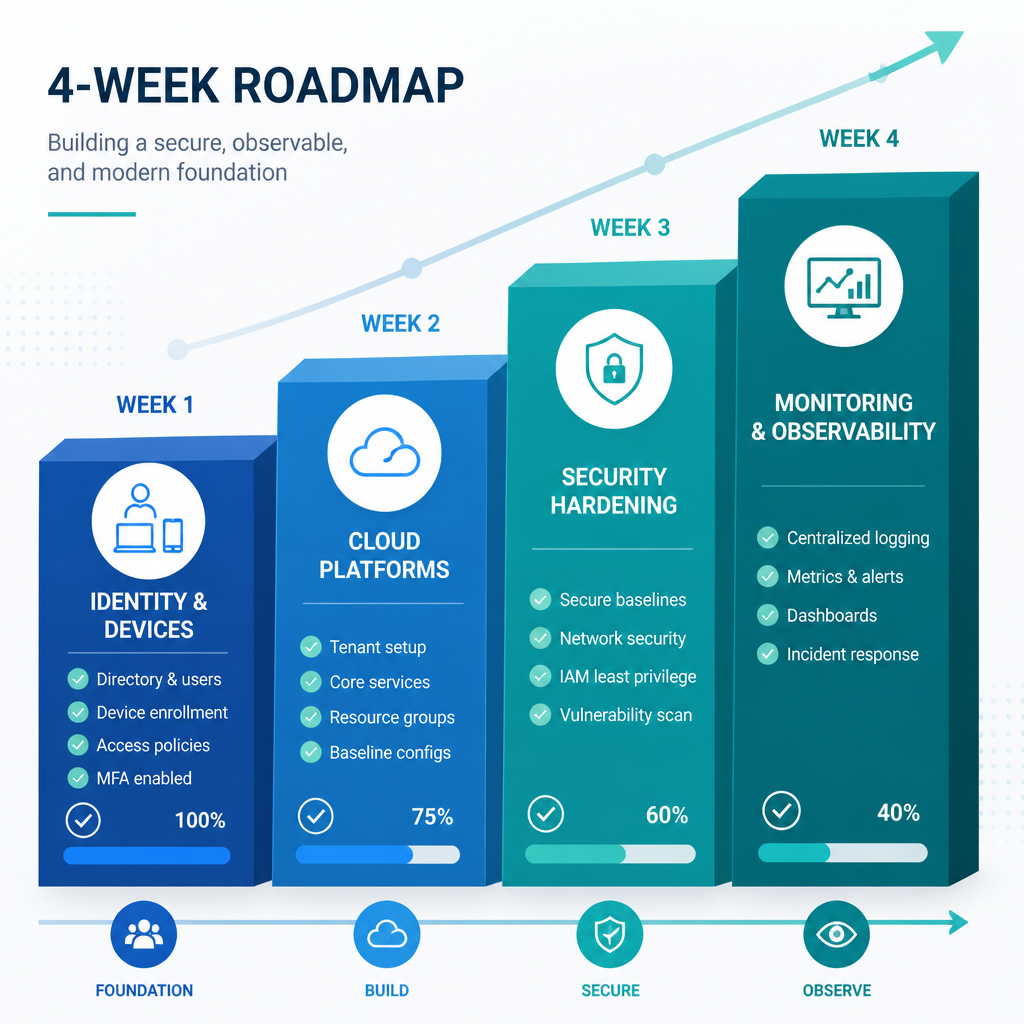
Week 1: Identity, Devices, and Domain
The first week should produce three concrete outputs: a registered and locked domain, a provisioned cloud identity platform, and at least one enrolled device. These three elements form the spine of every subsequent IT decision. Without them, nothing else is buildable in a secure or scalable way.
Domain Registration and DNS Security
Register your primary .co.uk or .com domain through a reputable registrar and immediately apply registrar lock to prevent unauthorised transfer. Enable WHOIS privacy to reduce exposure to social engineering. Within 48 hours, configure your DNS zone with the essential email authentication records: an SPF record specifying which mail servers are authorised to send on your behalf, a DKIM key published for your chosen email platform, and a DMARC record set initially to monitoring mode (p=none). Set a calendar reminder for day 28 to move DMARC to p=quarantine once you have reviewed the first reporting period.
A common mistake at this stage is purchasing the domain through the same account used for everything else, with no separate administrative credential. The domain registrar account should have its own dedicated email address and strong MFA, held by a founder or the IT lead, not shared in a team password manager at this stage.
Cloud Identity Platform Provisioning
For most London start-ups, Microsoft 365 Business Standard or Business Premium is the correct starting point. It provides Exchange Online for email, SharePoint and OneDrive for document storage, Microsoft Teams for communication, and Intune for device management, all under a single Microsoft Entra ID (formerly Azure AD) identity layer. From day one, enable Security Defaults in the Microsoft 365 admin centre. This enforces organisation-wide MFA in under five minutes with no customisation required and is available on every Microsoft 365 plan.
Pro tip: Create a break-glass administrator account with a long, randomly generated password stored securely offline. This account should not be used for day-to-day administration and should have no MFA app associated with it – it exists solely to recover from a scenario where your primary admin account becomes inaccessible.
Device Procurement and MDM Enrolment
Purchase devices from a supplier that supports zero-touch enrolment, meaning a new laptop connects to the internet and automatically configures itself to your organisation’s policies without manual setup. Enrol every device in Microsoft Intune before it is handed to any user. Define a baseline device compliance policy requiring disk encryption (BitLocker on Windows, FileVault on macOS), a minimum operating system version, and a screen lock timeout of five minutes or less.
Week 2: Cloud Platform and Collaboration
With identity and devices established, week two focuses on the collaboration layer and the data structure that will govern how the business stores, shares, and accesses information. The decisions made here determine whether the business can scale cleanly or whether data sprawl becomes a persistent problem.
Microsoft 365 or Google Workspace: Committing to One Platform
The most operationally damaging pattern observed in early-stage London businesses is the use of personal Gmail accounts alongside a loosely configured Microsoft 365 tenant, with files stored across a mixture of personal Dropbox folders, Google Drive, and OneDrive. The result is that no administrator has visibility over the organisation’s data, and offboarding a departing employee leaves business-critical files in accounts the company no longer controls.
Commit to a single platform. If the choice is Microsoft 365, disable external sharing on SharePoint by default, configure SharePoint site collections for each functional area (operations, finance, product), and ensure all collaboration happens within that structure from the outset. If the choice is Google Workspace, apply equivalent controls through the Admin Console. The specific platform matters less than the discipline of using it exclusively.
Password Management and Privileged Access
Deploy an enterprise password manager for the team in week two. Every shared credential – domain registrar, cloud console, billing portal – should exist only in the password manager, not in spreadsheets, personal password managers, or email threads. Assign separate vault collections to separate roles so that, for example, a junior team member cannot access financial system credentials.
Define which accounts carry administrator privileges and restrict that list to the minimum necessary. In Microsoft 365, use the Privileged Identity Management feature (available on Microsoft Entra ID P2, included in Microsoft 365 Business Premium) to require explicit activation of admin roles with justification logging. This ensures that administrator access is time-limited and auditable rather than permanently granted.
Pro tip: Conduct a monthly review of all admin accounts from the first month. Start-ups frequently grant administrator rights during onboarding for convenience and never revoke them. A monthly review with a named owner takes ten minutes and prevents the privilege accumulation that makes breach investigations so difficult.
Week 3: Security Hardening and Compliance Baseline
By week three, the core infrastructure is operational and the business is ready to layer security controls that protect it against the most common attack vectors. This week targets the specific technical controls assessed by the UK government’s Cyber Essentials scheme, making it a practical path to early certification.
Cyber Essentials: The Minimum Baseline for UK SMEs
Cyber Essentials is described by the National Cyber Security Centre as the minimum cyber security standard recommended by the UK government for organisations of all sizes. The scheme assesses five control areas: firewalls and internet gateways, secure configuration, access control, malware protection, and patch management. For a start-up that has followed weeks one and two of this plan, most of these controls are already partially in place. Week three is about formalising and documenting them to the standard required for self-assessment.
Achieving Cyber Essentials certification early in a start-up’s life is materially easier than retrofitting it later. At five to ten users, the assessment covers a small, well-understood environment. At 50 users with accumulated technical debt, the same assessment requires remediation work across dozens of systems, user accounts, and device configurations. Certification also opens access to government contracts and many regulated-sector procurement processes that explicitly require it.
Endpoint Protection and Patch Management
Deploy a reputable endpoint detection and response (EDR) solution across all enrolled devices. Microsoft Defender for Business, included in Microsoft 365 Business Premium, provides enterprise-grade endpoint protection without requiring a separate licence. Enable automatic operating system updates on all devices through the MDM policy established in week one, targeting a maximum update lag of 14 days for security patches. Apply the same policy to third-party applications where the MDM solution supports it.
Email Security Configuration
Beyond the DNS records configured in week one, apply additional email security controls at the platform level. In Microsoft 365, configure Safe Attachments and Safe Links policies under Microsoft Defender for Office 365. These policies scan inbound attachments and URLs in real time, replacing the link with a checked version and blocking attachments that match known malware signatures. Enable anti-phishing policies with impersonation protection for the domains of your most critical suppliers and clients.
A secure IT foundation is not built by deploying one sophisticated tool. It is built by closing every predictable gap, consistently, across the entire environment – identity, devices, email, and data – before an attacker finds any of them first.
Week 4: Backup, Monitoring, and Governance
The final week establishes the operational processes that transform a configured environment into a managed one. Infrastructure that is not monitored degrades silently. Data that is not backed up independently of the primary platform is not truly backed up.
Backup Strategy: The 3-2-1 Rule Applied to Cloud Platforms
A critical misunderstanding among start-up founders is that data stored in Microsoft 365 or Google Workspace is automatically backed up by the provider. Cloud platform providers protect their infrastructure availability; they do not protect against accidental deletion, ransomware encryption of synced files, or malicious insider deletion. The practical consequence is that a departing employee who deletes a SharePoint site and empties the recycle bin may cause permanent data loss if no independent backup exists.
Apply the 3-2-1 rule: three copies of data, on two different media types, with one copy offsite. For a Microsoft 365 environment, this means a third-party backup solution that takes daily snapshots of Exchange Online mailboxes, SharePoint sites, OneDrive data, and Teams channels to a separate storage location that Microsoft does not control. Configure backup retention to a minimum of 90 days to allow recovery from events that are not discovered immediately.
Monitoring and Alerting
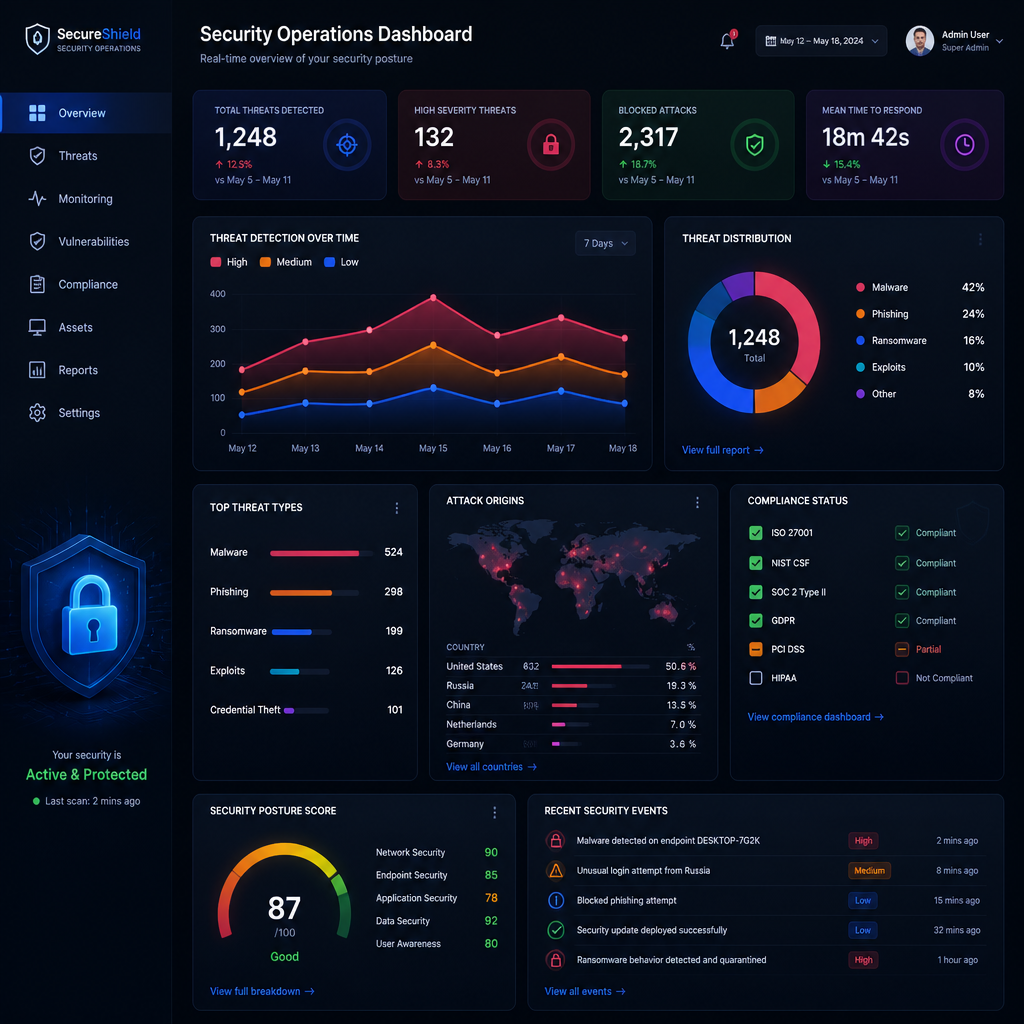
Configure Microsoft 365 audit logging and enable alerts for high-risk events: bulk file deletion, new inbox forwarding rules (a common indicator of email compromise), failed MFA attempts exceeding a threshold, and new administrator role assignments. Route these alerts to a monitored inbox or a security information and event management (SIEM) tool if the business has the capacity to review them. At minimum, ensure that at least one person receives and reviews the alerts daily.
For businesses working with a managed IT support partner, this monitoring function is typically included in the managed service. The partner receives alerts, investigates anomalies, and escalates only those that require a business decision, removing the operational burden from the founding team.
IT Documentation and Asset Register
By day 30, the business should have a documented IT asset register covering every device (serial number, assigned user, enrolment status), every platform in use (licence type, renewal date, administrator account), and every critical vendor relationship (contract term, contact details, SLA). This register is the foundation for every future IT decision, from onboarding a new employee to responding to a security incident. A shared document in SharePoint, maintained by one named owner, is sufficient at this scale.
Cloud Platform Comparison for London Start-Ups
The two dominant platforms for London start-up IT environments are Microsoft 365 and Google Workspace. A third option, building on open-source tools with infrastructure hosted on a hyperscale cloud provider, exists but is operationally appropriate only for technology-first businesses with an in-house engineering team. The table below compares the two mainstream options across the dimensions most relevant to a start-up building its first IT foundation.
| Dimension | Microsoft 365 Business Premium | Google Workspace Business Starter |
|---|---|---|
| Identity and device management | Microsoft Entra ID plus Intune MDM included. Conditional Access and Privileged Identity Management available. | Google Workspace Admin with basic MDM included. Advanced endpoint management requires an additional licence. |
| Endpoint security | Microsoft Defender for Business included, providing EDR, vulnerability management, and automated investigation. | No built-in EDR. Requires a separate third-party endpoint security solution. |
| Email security | Defender for Office 365 included: Safe Links, Safe Attachments, anti-phishing with impersonation protection. | Google’s Advanced Protection Programme and spam filtering included. Advanced email security requires Google Workspace Enterprise or a third-party add-on. |
| Compliance and audit tools | Microsoft Purview compliance centre with audit logging, data loss prevention, and retention policies. | Vault available on higher-tier plans for audit and eDiscovery. Basic audit logging on all plans. |
| Familiarity in London SME market | Dominant in professional services, finance, and regulated sectors. Most IT support partners have deeper Microsoft expertise. | Common in technology and media start-ups. Strong for teams with a preference for browser-based working. |
| Cyber Essentials alignment | Business Premium controls map directly to all five Cyber Essentials control areas when correctly configured. | Controls are available but require more manual configuration to evidence Cyber Essentials compliance. |
Common Mistakes London Start-Ups Make with IT
In practice, the same five errors appear repeatedly in start-up IT environments across London’s business districts. Recognising them before they occur is significantly less costly than remediating them after a growth phase.
Using Personal Accounts for Business Systems
The most common and most damaging mistake is allowing founders and early employees to use personal Gmail, Outlook.com, or iCloud accounts for business email and file storage. When that person leaves, or when a business email address is required for a banking application or regulated-sector contract, the migration cost in time and the risk of data loss are both substantial. Business accounts should be provisioned before the first external email is sent.
Delaying MFA Until a Security Incident Occurs
Many start-ups acknowledge that MFA is important but defer enabling it to avoid disrupting early employees during a busy period. The disruption of enabling MFA is measured in minutes per user. The disruption of remediating a compromised account is measured in days, with potential for data loss and reputational damage that is difficult to quantify. Enable MFA before any user account is active, not after.
Treating Cloud Storage as a Backup
OneDrive and Google Drive sync files bidirectionally. If ransomware encrypts files on a local device, the encrypted versions sync to the cloud, overwriting the originals. If a user accidentally deletes a folder, the deletion propagates. Version history and recycle bin features provide partial protection with short retention windows. An independent backup solution provides the recovery assurance that cloud sync alone cannot.
Purchasing IT Piecemeal Without a Plan
A start-up that adds tools reactively – a separate video conferencing subscription because a client uses a specific platform, a separate file sharing tool because someone found it convenient, a separate password manager on a personal plan – creates a fragmented environment that is expensive to support, difficult to secure, and impossible to audit. Standardise on a platform in week two and evaluate new tools against that standard before purchasing.
When to Bring in Managed IT Support
The honest answer is: at the beginning, not at the point of crisis. A managed IT support partner engaged from day one sets up the environment correctly, owns the ongoing monitoring, and provides a helpdesk for the team so that technical issues do not consume founder time. The cost of a managed service is predictable and fixed; the cost of reactive support after a security incident or failed audit is neither.
For London start-ups specifically, the case for early engagement with a managed IT provider is reinforced by three practical realities. First, the speed of hiring in London’s competitive talent market means that an onboarding process requiring a new device to be manually configured takes longer than the business can afford. A managed provider with zero-touch device enrolment and a documented onboarding workflow removes that friction. Second, the regulatory environment in sectors where many London start-ups operate – financial services, professional services, data-driven businesses – increasingly requires demonstrable IT governance from early-stage companies. Third, the helpdesk function that a managed provider supplies means that every team member has access to rapid technical support without the overhead of an internal IT hire at a stage when headcount decisions are critical.
The services delivered by iTO.London are designed specifically for this stage of a business’s development. The model covers proactive monitoring, rapid response helpdesk support, cloud platform management across Microsoft 365, Azure, AWS, and GCP, and quarterly technology reviews that align IT decisions with business objectives. The engagement model scales with the business, from start-up through growth stage, without requiring the business to rehire or retender for IT support as it evolves.
Pro tip: Ask any prospective IT support partner for a documented first-30-day onboarding plan before signing a contract. A provider that cannot articulate what it will do in the first month is unlikely to manage your environment to a measurable standard in the months that follow. Request specific SLAs for helpdesk response times, and ensure those SLAs are contractual, not aspirational.
Frequently Asked Questions
How much does IT setup for a start-up in London typically cost?
The cost varies significantly depending on the number of users, the cloud platform chosen, and whether the business works with a managed IT support partner. For a five-person start-up using Microsoft 365 Business Premium, a password manager, an independent backup solution, and a managed IT service, a monthly operational cost in the range of several hundred pounds per month is a reasonable planning figure. The more relevant comparison is not the cost of doing it properly versus doing it cheaply, but the cost of doing it properly versus the cost of remediating a breach or failed audit after doing it cheaply.
Does a London start-up need Cyber Essentials certification from day one?
Certification is not legally required for most start-ups, but it is strongly advisable to achieve it in the first 60 to 90 days. Cyber Essentials provides a structured checklist that maps directly to the controls described in this guide, and achieving it early is far simpler than retrofitting it later. If the business intends to pursue government contracts or work with larger regulated-sector clients, certification is frequently a contractual prerequisite. Starting the assessment process in week three, as described above, makes certification achievable within the first two months of operation.
Is Microsoft 365 sufficient for a London start-up’s security needs?
Microsoft 365 Business Premium, when correctly configured, provides a security capability that exceeds the minimum baseline required by Cyber Essentials. The important qualifier is “correctly configured.” The platform includes the tools, but enabling Security Defaults, configuring Conditional Access, deploying Defender for Business, and activating email security policies all require deliberate action. A business that subscribes to Microsoft 365 and does not configure any security features is not protected simply by virtue of the subscription.
What is the difference between MDM and a traditional IT policy?
Mobile device management (MDM) enforces IT policy technically on every enrolled device, rather than relying on users to comply with a written policy. An MDM solution can require disk encryption, enforce a screen lock timeout, push software updates, and remotely wipe a device if it is reported lost or stolen. A written IT policy requires users to read, understand, and voluntarily comply. For a start-up with no dedicated IT staff, MDM is the mechanism that makes written policies enforceable without manual oversight of each device.
What should a London start-up do if it experiences a cyber incident in the first 30 days?
Immediate actions depend on the nature of the incident, but the sequence for account compromise is: isolate the affected account by disabling it in the identity platform (Microsoft Entra ID or Google Workspace Admin), revoke all active sessions and tokens, reset the password, review audit logs for the 30 days prior to identify any actions taken by the compromised account, and report to the Information Commissioner’s Office if personal data was likely accessed. If the business is working with a managed IT support partner, that partner’s incident response process should be activated immediately. Having a documented incident response contact list is one of the deliverables that week four of this plan is designed to produce.
Can a non-technical founder manage this IT setup without an IT support partner?
A technically capable non-technical founder can execute the week-one and week-two actions described in this guide with reasonable confidence, as Microsoft 365’s administrator interfaces are designed for business users rather than engineers. Week-three security hardening and the Cyber Essentials self-assessment require a more structured understanding of the controls being evaluated. Week-four monitoring and backup configuration require ongoing operational attention that is difficult to maintain alongside founding responsibilities. The pragmatic recommendation is to engage a managed IT support partner from week one for the configuration and monitoring work, and retain the time saved for the activities that only a founder can do.
How does start-up IT support differ from standard break-fix IT support?
Break-fix IT support is reactive: something fails, a technician fixes it. Start-up IT support, particularly in a managed service model, is proactive: the provider monitors the environment continuously, identifies issues before they cause failures, manages patching and updates, and provides a helpdesk that the entire team can access. For a start-up where a single day of email downtime or a compromised account has an outsized business impact, the proactive model is materially more valuable than waiting for something to go wrong before engaging support.
If you are currently setting up IT for a London start-up, or reviewing whether your existing IT foundation meets the standard described here, share your experience or questions below – the specific challenges faced by early-stage businesses in London’s market inform better advice for the whole community.
References
- Practical IT setup checklist for new businesses covering email, security, devices, and backup
- IT support considerations for London start-ups including day-one platform requirements
- UK cybersecurity breach statistics for small businesses including phishing prevalence data
- Cyber Essentials scheme overview: UK government minimum standard for organisational cyber security
- Microsoft 365 security best practices including MFA, Conditional Access, and endpoint protection guidance