

Winter places different demands on office IT. Heating faults, shorter daylight hours, more staff working from home on cold or icy mornings, and power interruptions during storms can each expose weaknesses that went unnoticed over the summer. For London SMEs, the cost of these failures is usually measured in lost working hours, delayed client work and staff who cannot reach shared files. Effective IT winter readiness London businesses can rely on is built through a structured autumn review rather than a reactive response in January. This article sets out a practical checklist for that review.
Table of Contents
- Quick Takeaways
- Why Autumn Is the Right Time to Review Office IT
- Power, Cabling and Network Resilience
- Heating, Ventilation and the Comms Room Environment
- Laptops, Remote Access and Staff Devices
- Backups and Data Recovery Testing
- Choosing an Approach to Winter Readiness
- Ownership, Records and Accountability
- Frequently Asked Questions
- References
Quick Takeaways
| Key Insight | Explanation |
|---|---|
| Complete the review before the clocks change | The UK clocks go back on 25 October 2026. Finish the power, heating and backup checks by the end of October so that any faults can be planned rather than handled during the darkest weeks. |
| Test battery backups under load | Confirm that each uninterruptible power supply (UPS) on servers, switches and the phone system holds enough charge for a controlled shutdown, and replace units that fall short. |
| Test a restore, not only the backup job | A successful backup status does not show that data can be recovered within an acceptable time. Restore a sample of files and one complete system at least once a year. |
| Patch routers, firewalls and remote access tools first | Network devices are frequently left out of update cycles. Apply firmware and security updates before the period of heaviest home working. |
| Check the comms cupboard for heat and airflow | Closed rooms, blocked vents and stored boxes can cause equipment to run hotter when heating is in use. Log temperatures weekly through the first months of winter. |
| Document broadband and supplier escalation routes | Record account references, fault numbers and expected response times for every line. A fault in cold weather is far easier to resolve when these details are already written down. |
| Assign a named owner to every checklist item | Winter readiness usually fails where no one is accountable for completion. Record the owner, the due date and the evidence of completion for each action. |
Why Autumn Is the Right Time to Review Office IT
An autumn review gives a business time to order parts, arrange engineer visits and make changes outside peak trading periods. Problems identified in November can usually be planned around, whereas problems found during a cold snap in January tend to be handled under pressure. The difference is often measured in days of disruption rather than hours.

The first step is to establish an accurate starting point. Export a current inventory of hardware, software licences, warranty end dates and supplier contacts before the review begins. Most checklist items depend on that list being correct.
Lead Times for Replacement Hardware
Replacement components such as batteries, network switches and storage drives can take several days to arrive, and some are not held in stock by local suppliers. When these items are ordered in autumn, a single failed part does not stop a team for an extended period. Lead time is therefore the factor most often overlooked in winter planning.
Scheduled Tasks and the Clock Change
The clocks go back on 25 October 2026, which changes the relationship between automated jobs and office hours. Overnight patching, backup verification and firmware updates should be checked after the change to confirm that they still run outside working hours and do not overlap with other tasks.
Pro tip: Set a calendar reminder for the day after the clock change to check that overnight jobs completed as expected and that no backup or update window now overlaps with staff logins.
Power, Cabling and Network Resilience
Power and connectivity are the foundations of every other IT service in an office. A fault in either can halt email, telephony, cloud applications and card payment terminals at the same time. Winter reviews should therefore begin with these components.
Battery Backup and Controlled Shutdown
A UPS provides short-term power so that servers, switches and firewalls can either continue running or shut down in an orderly way. A unit that has not been tested for some time may hold a charge for far less than its rated time. Test each unit under load, record the runtime, and replace batteries that no longer meet the requirement. Runtime testing is more reliable than visual inspection.
Cabling, Patch Panels and Labelling
Loose connections and damaged patch leads are common causes of intermittent faults, and these faults often appear when temperatures change. Inspect cabling in the comms cupboard, label any unlabelled runs, and remove redundant equipment that is no longer in use. Clear labelling shortens fault diagnosis when a problem occurs at short notice.
Broadband Failover and Supplier Records
Where an office depends on a single broadband line, a fault during cold weather can stop the whole business. Confirm whether a secondary connection, such as a mobile failover, is in place and has been tested. Store supplier account references, fault reporting routes and expected response times in one shared document that the operations lead can access without the office network.
Winter readiness is rarely lost to a single failure. It is usually lost through several small gaps that were visible in October and left unaddressed.
Heating, Ventilation and the Comms Room Environment
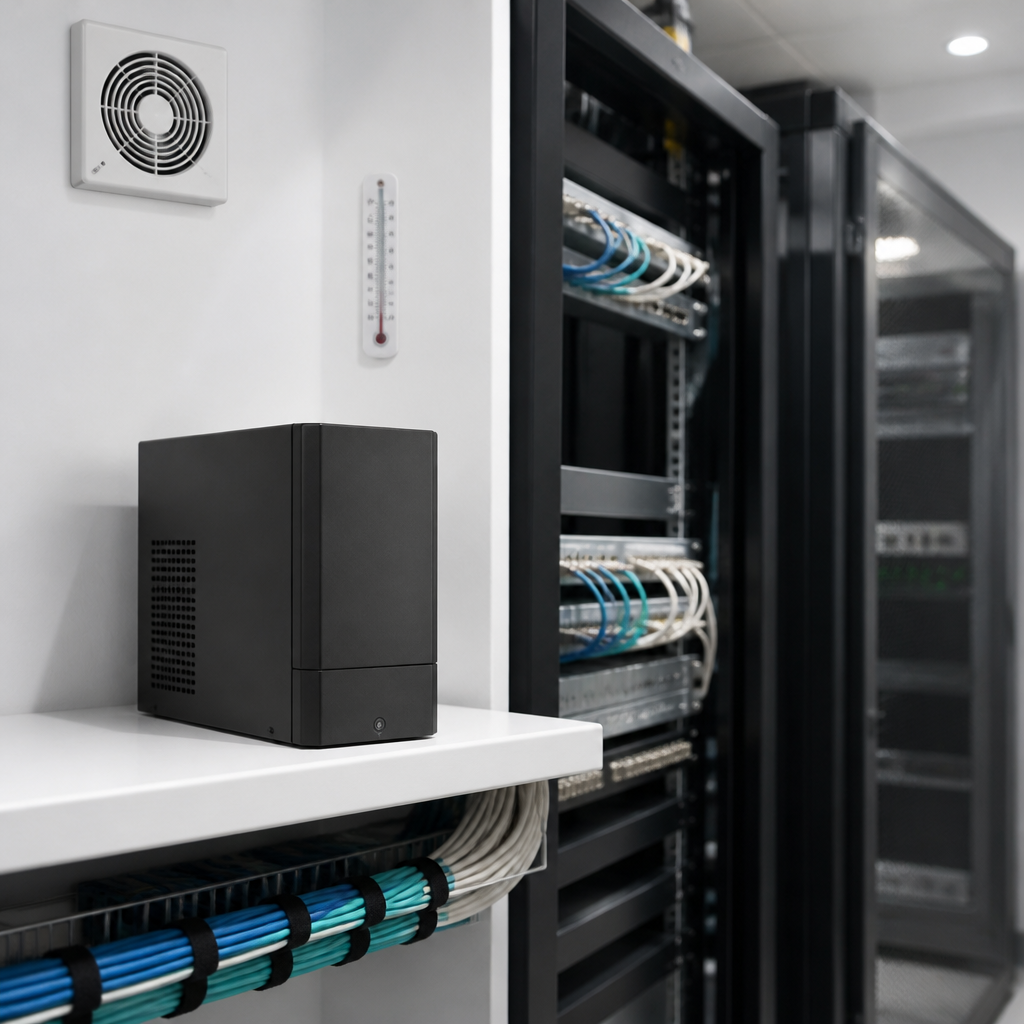
Winter heating changes the environment in which IT equipment operates. Rooms are closed more often, windows stay shut, and heating can alter the way air moves through a building. Equipment that runs comfortably in summer may overheat when airflow is restricted.
Temperature and Airflow Checks
Place a simple temperature logger in the comms cupboard or server room and review the readings weekly during the first months of winter. Confirm that vents are unobstructed, that equipment is not pushed against walls, and that any cooling unit has been serviced. In many small offices, a comms cupboard is also used for storage, which adds heat and restricts airflow.
Heating Faults and Building Responsibilities
In shared buildings, heating and ventilation are often managed by a landlord or building manager. Confirm who responds to out-of-hours faults and agree in advance how the business will be told if an IT room is affected. Published winter guidance for businesses, such as the advice from the NRLA, recommends a winter inspection of the premises, including the heating system. Where the business depends on one room, plan how key equipment would be relocated if that room became unusable.
Pro tip: Ask the building manager for the out-of-hours fault number in writing and add it to the same shared document as the broadband supplier details.
Laptops, Remote Access and Staff Devices
Winter often brings more home and hybrid working, particularly during travel disruption and seasonal illness. Remote access arrangements that work well for a few people can fail when many staff connect at the same time. Testing these arrangements before the busy period is a sensible control.
Patch Cycles and Firmware Updates
Operating system, browser and firmware updates should follow a fixed monthly cycle, with a short emergency route for critical security fixes. Routers, firewalls and VPN appliances are often overlooked, although they sit at the boundary between the office and the internet. Published guidance for small businesses, such as the monthly and quarterly checklist from NextGen IS, treats these devices as a recurring maintenance item rather than a one-off task.
Remote Access and Multi-Factor Authentication
Confirm that remote access requires multi-factor authentication, that inactive accounts are disabled, and that staff can reach shared systems from home without workarounds. Unofficial workarounds, such as forwarding work email to personal accounts, tend to appear when official access fails. Each workaround introduces a data handling risk that the business may not be aware of.
Laptop Condition and Asset Records
Laptops more than three years old should be checked for battery health, clogged fans and failing storage. Each device should be recorded against a named user, so that replacement and recovery decisions can be made quickly. An asset record that is out of date often causes delays when a laptop fails at the start of a working week.
Backups and Data Recovery Testing
A backup report showing success does not demonstrate that data can be recovered within the time the business requires. Recovery testing is the only reliable way to confirm that the backup policy works. Winter is a practical point in the year to carry out this test, before the busiest reporting periods.
Restore Tests That Show Real Recovery Times
Select a sample of files from different departments, restore them to a separate location, and time the process. Record the result against the recovery time objective agreed with the business. A full system restore should be tested at least once a year, and the outcome should be written down with any issues and the date they were resolved.
Cloud Data and Retention Settings
Cloud platforms such as Microsoft 365 provide recovery features, but these are not the same as an independent backup copy. Confirm which retention settings apply under the current plan, and whether accidental deletion, ransomware or a compromised account would be covered. Where gaps exist, a separate backup of cloud data should be considered and documented.
Protecting Backup Credentials
Backup administrator accounts should use separate credentials and multi-factor authentication. An attacker who gains control of the production environment should not automatically be able to delete or encrypt the backups. The National Cyber Security Centre (NCSC) publishes general guidance on backup and recovery planning that can inform this policy.
Pro tip: Keep a one-page recovery runbook in a location that does not depend on the office network, such as a secured cloud folder or a printed copy held off site.
Choosing an Approach to Winter Readiness
Most businesses address winter readiness in one of three ways. The right choice depends on how many people rely on IT services, whether anyone internal has the time to run the checklist, and how quickly the business needs faults resolved. The table below compares the three approaches.
| Approach | What It Covers | Main Limitation |
|---|---|---|
| Internal checklist run by an office manager | Room checks, device restarts, supplier contact records and basic visual inspections | Limited technical depth and little independent verification of results |
| Reactive break-fix support | Repairs and fixes once a fault has been reported | Faults surface during disruption, often at the least convenient time |
| Outsourced managed IT department | Scheduled maintenance, monitoring, backup restore testing and quarterly reviews against a documented plan | Requires defined service levels, clear responsibilities and a contract |
In practice, the checklist in this article works best when an internal owner oversees it and a qualified team carries out the technical tasks. The internal owner tracks progress, while the technical team provides evidence that each item has been completed.
Ownership, Records and Accountability
Winter checklists often fail because no one is responsible for completing them. A named owner, a review date and a short written record turn a list of intentions into a documented control. For most SMEs, the owner is an operations, finance or office lead, with technical actions delegated to an internal or external IT function.

Recording Completed Actions
Keep a dated log of each checklist item, the person who completed it and any follow-up that is required. This record supports internal reviews, insurance discussions and supplier escalations. Published maintenance guidance for small businesses notes that tasks tracked only in spreadsheets are frequently missed, so a log held in a shared system is a more dependable control.
Working With an Outsourced IT Department
Many London SMEs do not employ a full-time IT manager. An outsourced IT department can run the technical elements of the checklist, report results to the business and recommend changes at quarterly reviews. iTO.London provides this model through its managed IT support services, which include monitoring, maintenance and backup testing alongside scheduled reviews.
Pro tip: Agree on the evidence required for each checklist item before the review starts, such as a restore log, a battery test record or a signed supplier confirmation, so that completion can be verified rather than assumed.
Frequently Asked Questions
What should an IT winter readiness check cover for a London office?
A practical check covers power protection, network resilience, heating and airflow in comms rooms, remote access, device patching, backup restore testing and supplier escalation routes. Each item should have a named owner, a completion date and a record of the outcome.
When should a small business start its autumn IT review?
The review should begin in early autumn so that parts can be ordered and engineer visits booked before the colder months. For most offices, completing the core checks by the end of October provides enough time to address any issues before the heaviest winter working period.
How often should backups be tested?
Restore tests should be carried out at least once a year for a full system, with sample file restores performed more frequently. The results should be recorded against the recovery time the business requires, and any gaps should be addressed promptly.
Does a small office need a UPS for its network equipment?
A UPS is advisable for servers, network switches, firewalls and telephony equipment, because it allows an orderly shutdown or short continued operation during a power interruption. The battery should be tested under load, since visual checks alone do not show how long the unit will hold power.
Can a small business manage winter IT readiness without an in-house IT team?
A small business can manage winter readiness without a full-time IT team by assigning an internal owner and using an external provider for technical tasks. This arrangement allows the business to receive scheduled maintenance, testing and reporting without the cost of permanent specialist staff.
We welcome feedback from business leaders on which winter IT tasks have caused the most disruption in their offices and how they addressed them.
We would love your feedback and any insights you would share with others. What perspective would you add?