

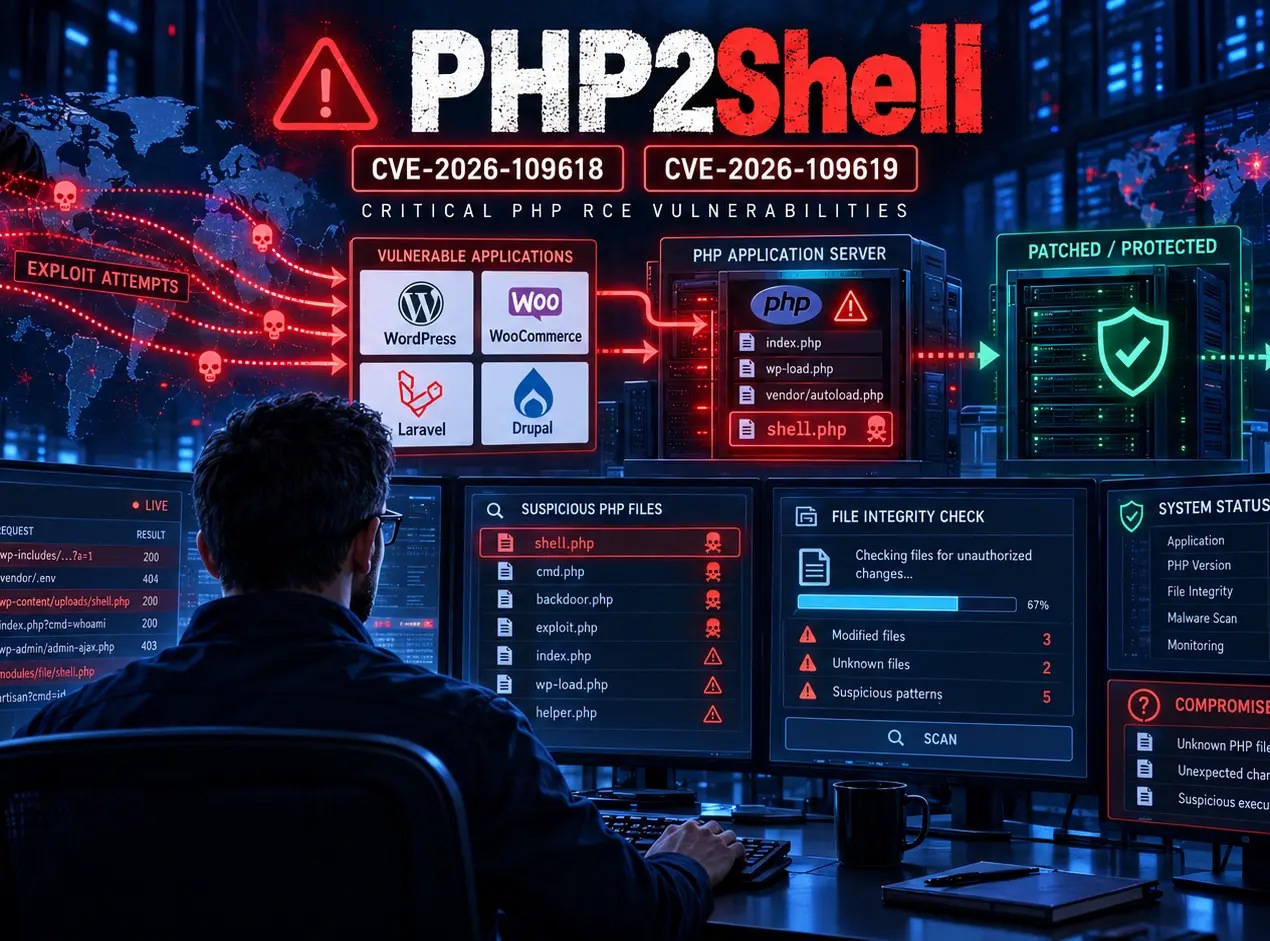
The hidden risk behind CVE-2026-109618 and CVE-2026-109619 — and how to check whether your WordPress, Laravel or Drupal server is actually clean.
Everyone is talking about patching PHP. Emergency updates, critical vulnerabilities, millions of attack attempts and administrators scrambling to protect their infrastructure. And yes, patching is absolutely essential.
But here’s the question that deserves just as much attention: What if an attacker got into your server before you patched it?
- What if they didn’t deface your website, delete your database or bring anything down?
- What if they simply created a hidden backdoor, copied a few credentials and quietly disappeared?
Your website would continue operating normally. Your monitoring would probably remain green. You’d install the PHP update, restart the services and congratulate yourself on a job well done. Except the attacker might still have access. And the latest threat intelligence suggests this isn’t a hypothetical concern we can simply dismiss. iTO.London
Table of Contents
- Quick Takeaways
- The Numbers Are Difficult to Ignore
- The Attacks Started Before the Patches Arrived
- The Server Is Patched. The Attacker Might Not Be Gone.
- What Should System Administrators Check?
- WordPress, Laravel and Drupal: Where Could Backdoors Hide?
- What If the Attacker Didn’t Leave a Backdoor?
- Cloudflare Helps — But It Doesn’t Turn Back Time
- What If You Find Evidence of Compromise?
- The Real Lesson from PHP2Shell
- Frequently Asked Questions
- How iTO.London Can Help
- References
Quick Takeaways
| Key Insight | Explanation |
|---|---|
| 17 October — exploitation attempts detected | Amazon Threat Intelligence observed PHP2Shell targeting four days before public disclosure. |
| Millions of attempts reported | Cloudflare’s CEO reported a steep increase in exploitation attempts following the announcement; attempts are not confirmed compromises. |
| 69.3% PHP adoption | W3Techs reports PHP on 69.3% of websites whose server-side programming language is known. This is not the percentage of vulnerable servers. |
| 21 October — emergency patches | The PHP project released fixes for two critical vulnerabilities. |
| Patching doesn’t remove backdoors | A successful intrusion may leave persistent access or stolen credentials after the underlying vulnerability is fixed. |
| Investigate from at least 17 October | Review web logs, application integrity, server processes, accounts and credentials from the earliest observed targeting date. |
The Numbers Are Difficult to Ignore
On 21 October 2026, two critical PHP vulnerabilities were publicly disclosed:
- CVE-2026-109618 — memory corruption involving out-of-memory handling.
- CVE-2026-109619 — use of stale internal state associated with freed memory.
Both carry a critical CVSS score of 9.2 and can potentially allow unauthenticated remote code execution.
These are flaws in PHP itself, not simply vulnerabilities in WordPress or a particular plugin. That distinction matters.
A website could have the latest WordPress version, every plugin updated and a correctly configured application — while still running a vulnerable PHP runtime underneath.
PHP is used by approximately 69.3% of websites whose server-side programming language is known, according to W3Techs data from 21 October.
That doesn’t mean 69.3% of all servers were successfully compromised or even necessarily vulnerable at the time. But it demonstrates the enormous reach of PHP and the potential scale of the problem.
Source: W3Techs — server-side programming language usage.
The Attacks Started Before the Patches Arrived
This is where the story becomes particularly concerning.
According to Amazon Threat Intelligence, its MadPot honeypot network detected a PHP2Shell exploitation attempt on 17 October 2026.
That’s four days before the public disclosure and emergency patches on 21 October.
Amazon also identified additional attempts from different infrastructure before disclosure, suggesting activity by more than one operator.
Then came the announcement.
Cloudflare CEO Matthew Prince reported the following progression of exploitation attempts across Cloudflare’s network:
| Period | Reported attempts |
|---|---|
| 10 hours before public announcement | Thousands |
| Within 45 minutes of announcement | Tens of thousands |
| Within 2 hours | Hundreds of thousands |
| Later reporting | Millions |
Let’s be precise: these figures represent observed exploitation attempts, not millions of confirmed server compromises.
Amazon’s own report also acknowledges uncertainty over whether its early observed attempts would have succeeded against real production systems.
Nevertheless, the important lesson is unmistakable.
The day a vulnerability becomes public is not necessarily the day attackers first discover it.

Sources: Amazon Threat Intelligence · Cloudflare PHP2Shell analysis.
The Server Is Patched. The Attacker Might Not Be Gone.
Consider this scenario.
An attacker discovers a vulnerable web server on 19 October.
They exploit PHP2Shell and obtain code execution with the permissions of the PHP worker.
They don’t interrupt the website or trigger an obvious outage.
Instead, they quietly:
- Create a PHP backdoor inside an existing plugin or application directory.
- Add a scheduled task that reconnects to their infrastructure.
- Copy database credentials and API secrets.
- Create a hidden administrator account.
- Modify a PHP configuration file to execute their code on subsequent requests.
Then they leave.
On 21 October, the administrator installs the emergency PHP patches.
The vulnerability is closed.
But the malicious scheduled task, stolen credentials or backdoor may still exist.
The attacker no longer needs PHP2Shell. They have another route in.
This is a possible post-exploitation scenario, not evidence that every PHP2Shell attack has established persistence.
Patching fixes vulnerable software. It does not automatically reverse a compromise.
That distinction needs to become part of every organisation’s emergency patching procedure.

What Should System Administrators Check?
If your PHP server was internet-facing during the exposure period, especially between 17 October and the point at which patched PHP workers were running, don’t stop at verifying the installed version.
Start a retrospective security investigation.
The following examples focus on Linux-based PHP environments. They are investigative starting points, not complete forensic tests.
1. Confirm that PHP was actually patched
The PHP project released these fixed versions on 21 October:
| PHP branch | Fixed version |
|---|---|
| PHP 8.5 | 8.5.12 |
| PHP 8.4 | 8.4.27 |
| PHP 8.3 | 8.3.36 |
| PHP 8.2 | 8.2.35 |
Older end-of-life versions do not receive these upstream security releases and require migration or a verified vendor security backport.
On Linux:
php -vAlso verify the version used by PHP-FPM or Apache, which may differ from the command-line PHP version. For Debian/Ubuntu:
dpkg -l | grep -E 'php.*fpm|libapache2-mod-php'Remember that Linux distributions may backport security fixes without changing the upstream version displayed by PHP.
Verify the actual package security status, and ensure running PHP workers have been restarted.
Source: PHP official security releases.
2. Check recently modified files
On Linux, a useful initial search is:
find /var/www /tmp /var/tmp /dev/shm -type f -newermt '2026-10-17' -ls 2>/dev/nullInvestigate files that cannot be explained by legitimate deployments, uploads, updates or maintenance.
Pay attention to PHP files in upload directories, unexpected scripts, disguised executable files and suspicious changes to existing application code.
Be careful: file modification timestamps can be altered, and legitimate deployments create large numbers of changed files. Compare results with known-good backups or deployment manifests.
3. Investigate PHP-level persistence
Attackers who gain sufficient write access may be able to abuse PHP configuration directives such as auto_prepend_file. This can cause an additional PHP file to execute automatically when requests are processed.
Check relevant PHP configuration files and .user.ini files. For example:
grep -RniE 'auto_prepend_file|auto_append_file' /etc/php /var/www 2>/dev/nullUnexpected directives pointing to unfamiliar files deserve immediate investigation.
Also examine modified PHP-FPM pool configurations, Apache virtual hosts and Nginx configurations.
4. Review processes, scheduled tasks and outbound connections
Inspect the host for unusual processes running under the PHP worker account. Useful commands include:
ps auxf
ss -plant
systemctl list-timers --all
sudo crontab -l
An unexpected shell, downloader or network tunnel running under the web-server account is worth investigating.
Compare scheduled jobs and services against your documented infrastructure. A malicious process may not still be running when you inspect the server.
5. Search historical web and security logs
Amazon recommends investigating from at least 17 October 2026 and specifically looking for suspicious upload requests involving PHP_SESSION_UPLOAD_PROGRESS.
That indicator may appear in request bodies rather than URLs.
Standard Apache and Nginx access logs frequently do not record request bodies, meaning a simple access-log search can miss relevant activity.
Review additional sources where available: Cloudflare security events, WAF logs, ModSecurity audit logs, endpoint detection telemetry, PHP error logs and network-flow records.
Pay particular attention to suspicious requests followed by unusual process execution, file creation or outbound connections.
A suspicious request isn’t proof of compromise. An empty log search isn’t proof that the server is clean.
Pro tip: Preserve copies of relevant logs before running extensive remediation. On a suspected compromised system, involve incident-response specialists before making changes that may destroy volatile evidence.
WordPress, Laravel and Drupal: Where Could Backdoors Hide?
Because PHP2Shell affects the runtime, the investigation must go beyond the CMS itself. Nevertheless, application-specific checks can reveal persistence.
WordPress
Investigate:
- Unexpected Administrator accounts and application passwords.
- Recently installed or modified plugins and themes.
- Must-use plugins under
wp-content/mu-plugins/. - Executable PHP files inside
wp-content/uploads/. - Unexpected changes to
wp-config.php. - Suspicious scheduled WP-Cron events.
- Unauthorized changes to WordPress options and user capabilities.
Useful WP-CLI checks:
wp core verify-checksums
wp plugin verify-checksums --all
wp user list --role=administrator
wp cron event list
Checksum verification is valuable, but custom and premium plugins may require comparison against trusted vendor packages.
Also remember that a backdoor can live outside WordPress entirely.
Laravel
Focus on:
- The
.envfile and any secrets it contains. - Unexpected PHP files in
public/and writable storage directories. - Modified routes, middleware and service providers.
- Unrecognised Composer dependencies or modifications.
- New scheduled application commands.
- Unexpected queue jobs and workers.
Compare application files against a trusted Git repository or deployment build.
If you suspect successful PHP code execution, assume sensitive environment variables may have been readable.
Drupal
Review:
- Administrative accounts and assigned roles.
- Unexpected custom modules and theme changes.
- PHP files inside publicly writable files directories.
- Changes to
settings.phpand configuration files. - Unrecognised scheduled tasks or application hooks.
- Composer-managed files that differ from trusted releases.
Use Drush and application logs where available, and compare code against a known-good deployment.
For all three platforms, the same principle applies: application security scans cannot establish the integrity of the operating system underneath.
What If the Attacker Didn’t Leave a Backdoor?
There’s another uncomfortable possibility.
An attacker might have executed code only long enough to read your database credentials, API keys or cloud access tokens.
Then they disconnect, leaving no persistent PHP file behind.
Your website looks perfectly normal. Every checksum passes. But your secrets may still be compromised.
If credible evidence indicates successful code execution, review the credentials available to the affected PHP account.
That may include database passwords, SMTP credentials, payment integration keys, object-storage access, cloud credentials and application authentication secrets.
Rotate potentially exposed credentials and revoke compromised sessions or tokens.
This is why checking the integrity of a server also means considering the systems that server could access.
Cloudflare Helps — But It Doesn’t Turn Back Time
Cloudflare deployed WAF protections for PHP2Shell, including new detection techniques that analyse both HTTP requests and responses.
That’s valuable protection.
But it doesn’t answer whether a server was accessed before those protections were active, through an unprotected origin IP, or through an attack that evaded detection.
And Cloudflare itself recommends updating PHP rather than relying entirely on the WAF.
For organisations using a CDN or WAF, confirm that the origin server cannot be reached directly by unauthorised sources.
A firewall can help stop the next attack. It cannot undo yesterday’s successful intrusion.
Source: Cloudflare — PHP2Shell WAF protections.
What If You Find Evidence of Compromise?
Don’t simply delete the suspicious file and consider the incident closed.
Preserve relevant logs and evidence, contain the affected host, identify what the attacker could access, and investigate the full scope of the incident.
For a confirmed server compromise, the most defensible recovery is often to rebuild from a trusted image, redeploy verified application code, restore carefully validated data and rotate affected secrets.
A backup is useful only if you can establish that it predates the intrusion or is otherwise free from attacker modifications.
For organisations handling customer information, also assess whether personal data was accessed and whether applicable breach-notification obligations arise.
Where there is insufficient evidence to establish compromise, record what was checked, which logs were available and what uncertainty remains.
Security assurance should be based on evidence, not simply the absence of obvious symptoms.
The Real Lesson from PHP2Shell
The speed of this incident should change how we think about patch management.
Amazon detected targeting four days before disclosure.
Cloudflare subsequently reported millions of exploitation attempts.
The PHP project delivered emergency fixes on 21 October.
All of this happened around a technology used across a huge proportion of the web.
The industry’s instinct is understandably to patch first. And that’s correct.
But patching should be the beginning of the security assessment, not automatically the end of it.
For IT managers and system administrators, there are now two questions worth asking:
- Have we closed the vulnerability?
- Do we have sufficient evidence that nobody exploited it before we closed it?
They are not the same question.
A green monitoring dashboard, a successful patch installation and a working website are all encouraging signs. None of them, individually, proves that an attacker hasn’t already established another way in.
You patched the vulnerability. But did you check whether someone exploited it before you did?
Frequently Asked Questions
Can an attacker retain access after PHP has been patched?
Yes. If an attacker obtained code execution before patching, they may have created a separate backdoor, scheduled task, malicious account or stolen credentials. The PHP update does not automatically reverse those actions.
Does using Cloudflare mean my server was protected?
Cloudflare deployed managed protections for PHP2Shell, which can significantly reduce exposure. However, protection depends on traffic passing through Cloudflare and on the relevant controls being active. Direct origin access and activity before the protections were deployed remain important considerations.
What date should system administrators begin investigating?
Amazon reported PHP2Shell exploitation attempts as early as 17 October 2026. That is a reasonable minimum starting point for retrospective investigation. Available logs or evidence suggesting earlier activity should extend the investigation window.
Can Wordfence or a WordPress security plugin confirm that my server is clean?
Such tools can identify many application-level compromises and file changes, but they cannot conclusively establish operating-system integrity or detect every form of persistence outside WordPress.
If all WordPress files pass checksum verification, am I safe?
Not necessarily. A malicious cron job, systemd service, modified PHP configuration, stolen credential or backdoor outside the checked directories may remain undetected.
Should every previously vulnerable server be rebuilt?
Not automatically. The response should be proportionate to the evidence, exposure, available logs and business risk. However, confirmed arbitrary code execution on a server often justifies rebuilding from trusted media because manually removing individual artefacts may not restore confidence in the operating system.
How iTO.London Can Help
At iTO.London, we believe good IT management means more than reacting to security alerts.
We help London businesses take a practical, security-first approach to their infrastructure — from server maintenance and patch management to configuration reviews, monitoring, Microsoft 365 administration and ongoing technology support.
If you’re unsure whether your PHP environment has been properly patched, whether your origin servers are exposed, or whether existing monitoring would identify suspicious activity, it’s worth reviewing that risk before the next incident.
We make IT behave.
Explore iTO.London’s IT support and security services
We’d also be interested to hear how other IT professionals are approaching this.
Are you simply applying the PHP update, or are you carrying out retrospective compromise assessments on your servers as well?
Share your experience or recommendations in the comments.
References
- Amazon Threat Intelligence — PHP2Shell exploitation observed before public disclosure
- Cloudflare — PHP2Shell WAF protection and attack telemetry
- W3Techs — PHP usage statistics
- PHP — Official security release archive
- Google Cloud — Responding to PHP2Shell vulnerabilities
- NHS England — Critical PHP vulnerabilities security advisory
Tags: #PHP2Shell #CyberSecurity #PHP #WordPressSecurity #IncidentResponse #ServerSecurity #Laravel #Drupal #WordPress #Cloudflare #VulnerabilityManagement #ITSecurity #LondonBusiness #ManagedITServices #iTO.London